CoreHub POS is point of sale, stock, bookings, EFTPOS and repair tickets in one tool — designed specifically for mobile phone repair shops. The owner has spent 10 years running one, so every screen is built from real counter experience, not guesswork. From the moment a phone, laptop or tablet is booked in to the moment it's collected and paid for, every screen assumes what you're selling is a fixed device, not an item off a shelf.
Set up your shop online in minutes • Works with EFTPOS terminals • Support from a local Hamilton team • Prefer a guided walkthrough? Book a demo
90
day warranty tracking, built in
9
job statuses from intake to collected
15%
NZ GST handled automatically
10+
years running a phone shop, built into every screen
Everything in one place
Not a retail POS with repair fields bolted on afterwards — every screen is built for the job itself, and everything else the counter needs is on the same screen.
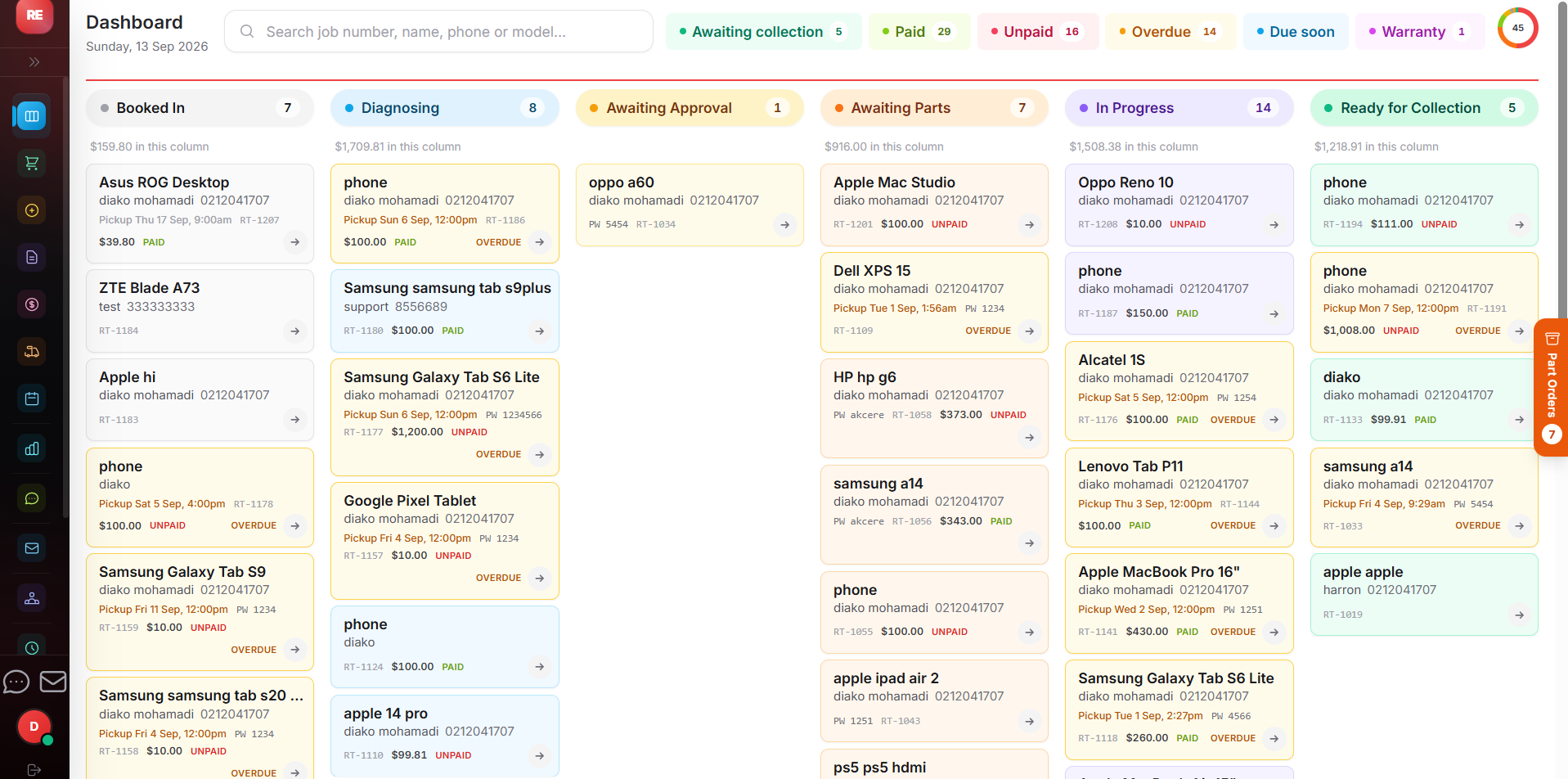
Live board that tracks every ticket from Booked In through Diagnosing, Awaiting Approval, Awaiting Parts and In Progress to Ready for Collection. Device type, make and model pick lists, and customer lookup by phone.
GST-correct quotes and tax invoices as PDFs, emailed automatically, plus a printable counter receipt with your warranty terms and return policy on it — not a generic template.
Status-based SMS and email updates for customers — "ready for collection" messages even include that day's actual opening hours, pulled straight from your settings.
Prices, SKUs and categories for parts and accessories with a low-stock warning threshold you set yourself. Parts fitted to a job stay reserved until the job closes — no spreadsheet on the side.
Take card payments on supported NZ EFTPOS terminals, right from the sale screen. Secure, fast, no fiddly reconciliation, with auto-matching of card takings at end of day.
Daily and weekly revenue trends, top sellers by revenue, and a sale-vs-repair split — reading from what was actually collected and paid for, not what's still sitting on the shelf.
Real screenshots
Every screen on this page is real — the dashboard, the counter, the repair desk and the end of day. No stock photos, no mockups.
Live dashboard — today at a glance
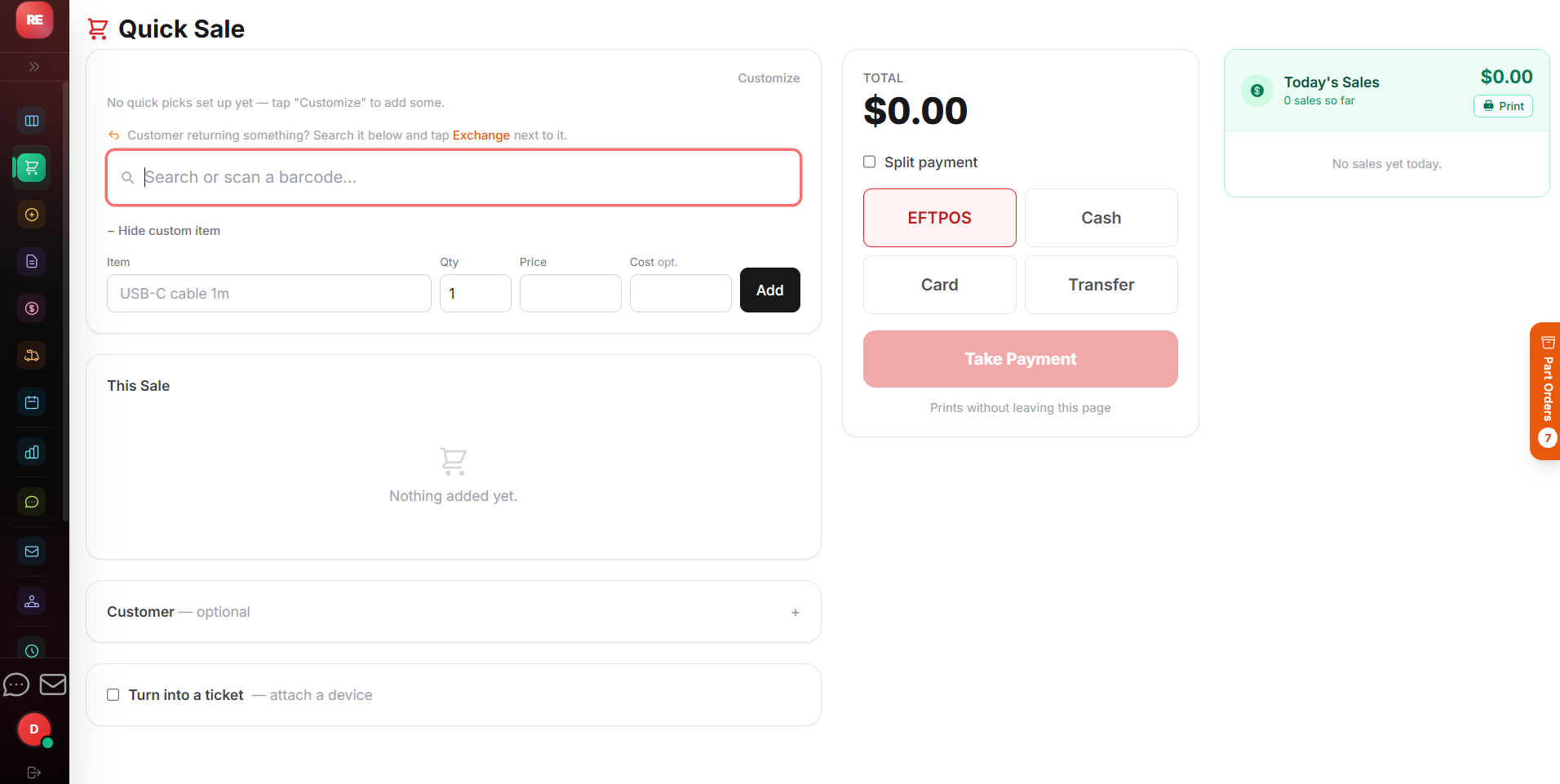
Quick sale at the counter
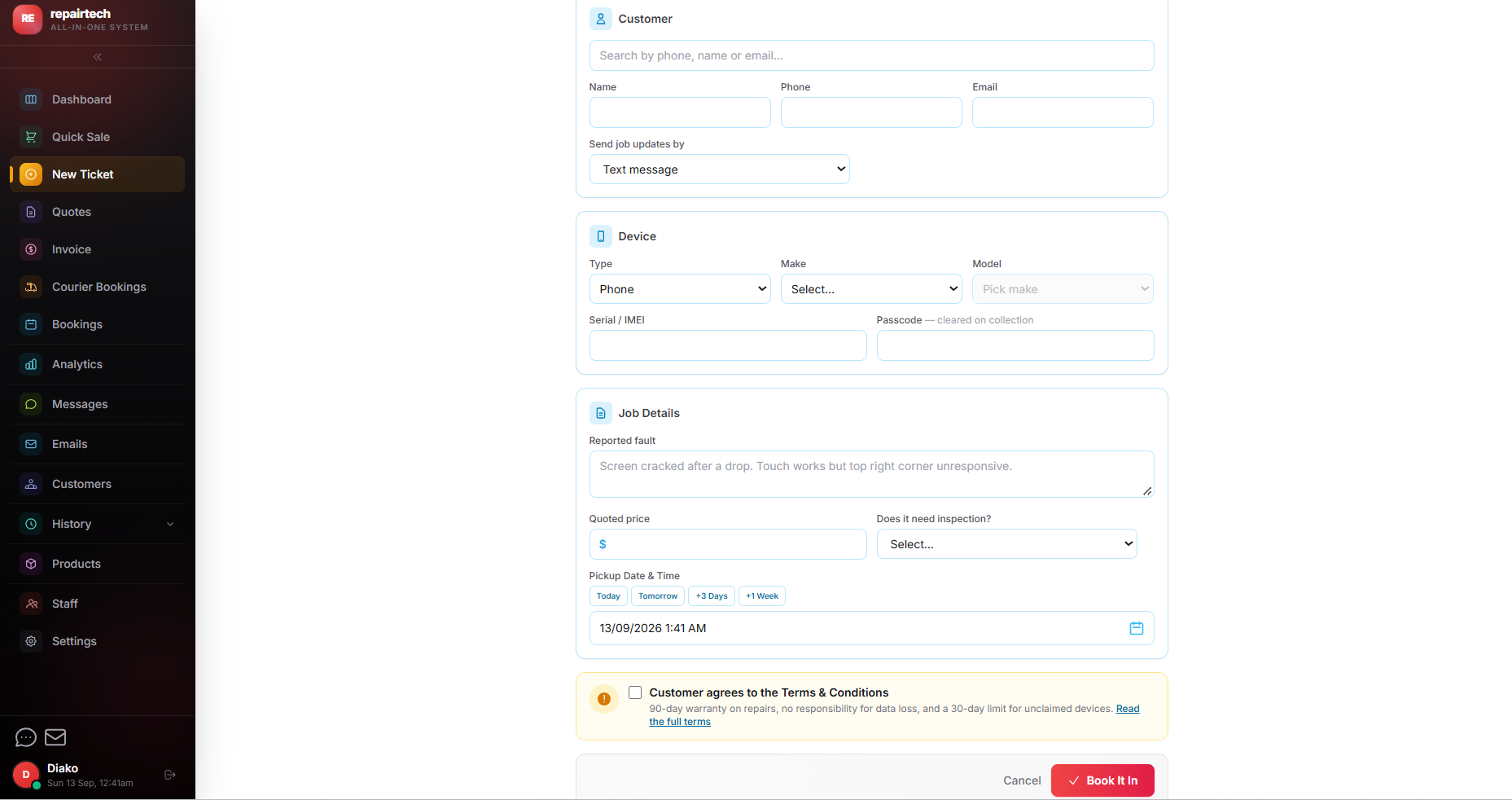
Booking a repair in
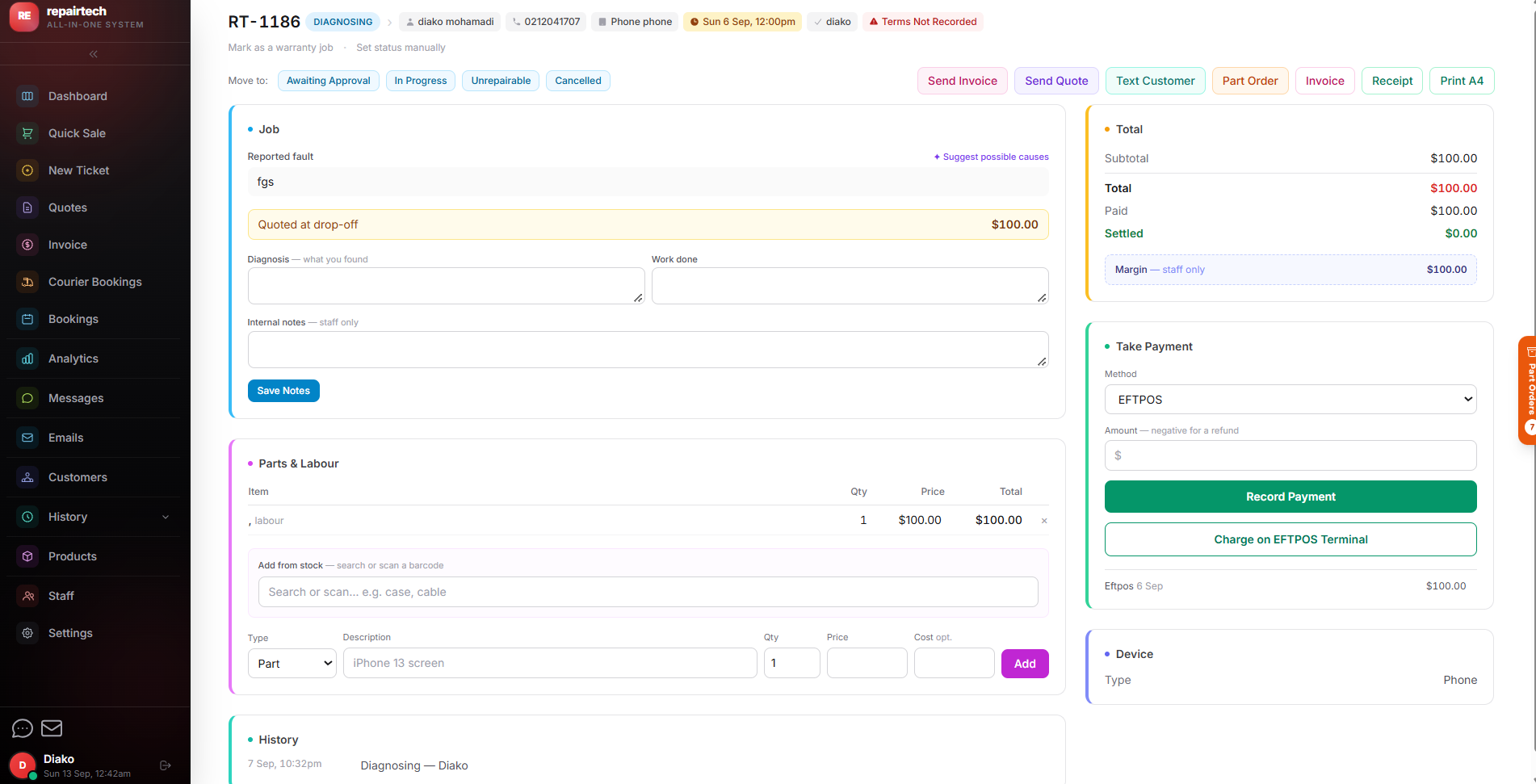
Repair ticket detail
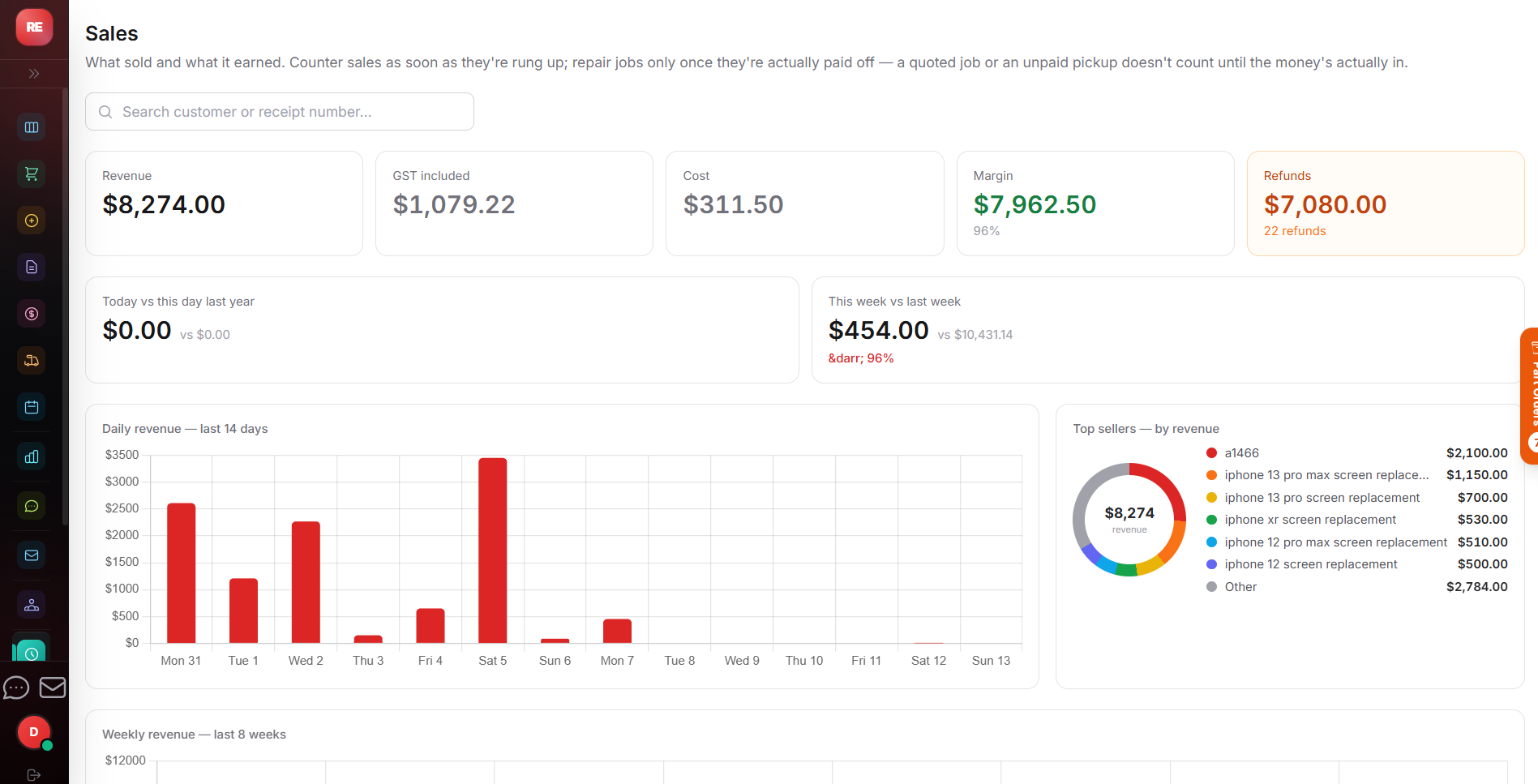
Sales history & reporting
Want to click around yourself?
Every screen, on a live demo shop
Try the live demoTry it now
The demo is a real CoreHub POS shop with sample customers, stock and repair jobs already in it. Ring up a sale, book a device in, move a ticket through to Ready for Collection and close the day — exactly as you would on your own counter.
How it works
One flow from the customer at the counter to the money in the till. You work the job, CoreHub POS handles the paperwork, the messages and the numbers around it.
Look up or add the customer by phone, pick the device type, make and model, and log the reported fault. The ticket lands on the job board as Booked In.
Move the status to Diagnosing as you find the fault, then send a GST-correct quote for approval. The customer gets it automatically and you only fix it once they've approved.
Attach parts from your catalogue to the job — they're reserved until the job closes and come off your live stock automatically. Low-stock warnings show up before you run out.
As the job moves through In Progress to Ready for Collection, the customer gets SMS and email updates — the collection message even includes today's opening hours.
Turn the job into an invoice in one click, take cash or EFTPOS, and hand over a counter receipt printed with your warranty terms and return policy. Discounts and GST just work.
One button closes the day with cash, EFTPOS and refunds matched up, and reporting that shows revenue, top sellers and your sale-vs-repair split.
CoreHub POS is built by someone who has worked a phone-shop counter for 10 years — so it's designed specifically for the way a mobile phone repair shop actually runs, not a generic retail POS with repair fields bolted on. It started as the system one Hamilton repair shop needed for its own counter — phones, laptops, tablets, MacBooks, motherboards, consoles, smartwatches — and it still gets used on that same live counter every single day.
Price promise
No surprise monthly fees.
We price in plain New Zealand dollars with simple plans — no per-terminal surprises, no training fees, no "you need the enterprise tier" phone calls.
View pricingEvery ticket
The same nine statuses, whether it's a cracked screen or a motherboard reflow. Status changes trigger notifications automatically.
Booked In
Device logged, customer on file
Diagnosing
Fault confirmed before work starts
Awaiting Approval
Quote sent, waiting on the customer
Awaiting Parts
On order, customer notified automatically
In Progress
Being worked on at the bench
Ready for Collection
Text sent, today's opening hours included
Settings, not code
Trading name, GST number, address, opening hours, warranty period, invoice footer, staff login hours — all of it lives on one page you can edit yourself. Change something and every invoice, quote, text message and printed receipt uses it immediately.
An every-Nth-visit loyalty discount applies itself — set the visit count and the percentage once, and every counter sale after that just works. That's what makes it yours from day one: a shop's whole identity is data, not code.
See it in the demo/pos/settings
Trading name
Your Shop Name
GST number
———–———
Warranty period (days)
90
Terms & conditions link
https://yoursite.co.nz/terms
A decade of running a phone shop, now helping other NZ shops run the same way.
"We used to run sales on one system, stock on a spreadsheet and bookings in a book. Now it's all in CoreHub POS — the day-end is the best it's ever been."
Phone shop owner, Hamilton
10 years & still on the counter
"EFTPOS just works at the counter — one less thing to think about. Their team is local and answers the phone."
Local business owner
NZ retailer
Create your shop online and start using it today, or tell us how your counter actually works and we'll walk you through the parts that matter to you, on a live system.